

Connect Stripe
Connect your Stripe account to receive international payments from your sales.
Why use Stripe?
Stripe is the world's leading payment processor for international sales. If your business is in the United States, Europe, or other countries outside Latin America, Stripe is the best option for processing payments.
Fanz uses Stripe for international clients. This means:
- Money goes directly to your account – It doesn't pass through Fanz, it goes straight to your Stripe.
- You get paid in real time – Each sale is credited according to Stripe's policies.
- Multiple payment methods – Credit card, debit card, Apple Pay, Google Pay, and more.
- Maximum security – Stripe handles all sensitive card data with PCI certification.
- Global reach – Accept payments in over 135 currencies and 45 countries.
Before you begin
You have two options:
- If you already have a Stripe account – You just need to connect it to Fanz
- If you don't have a Stripe account – You can create one directly from Fanz
Step 1: Access settings
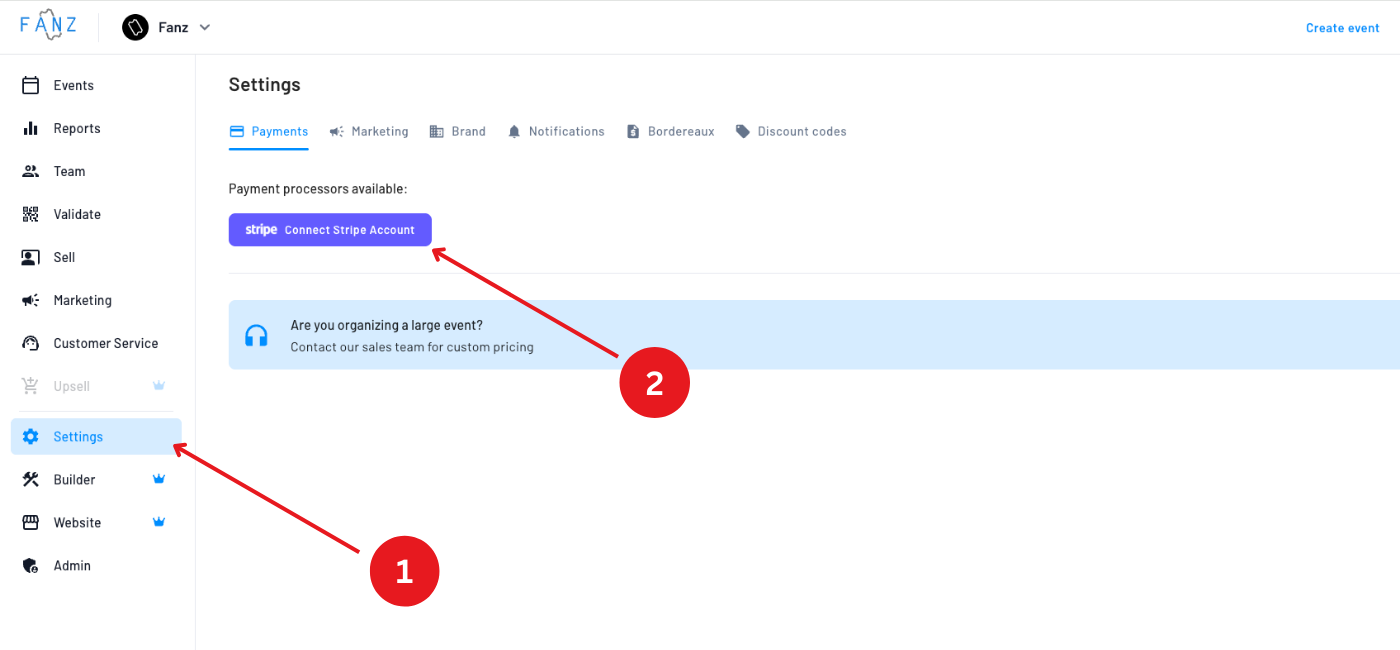
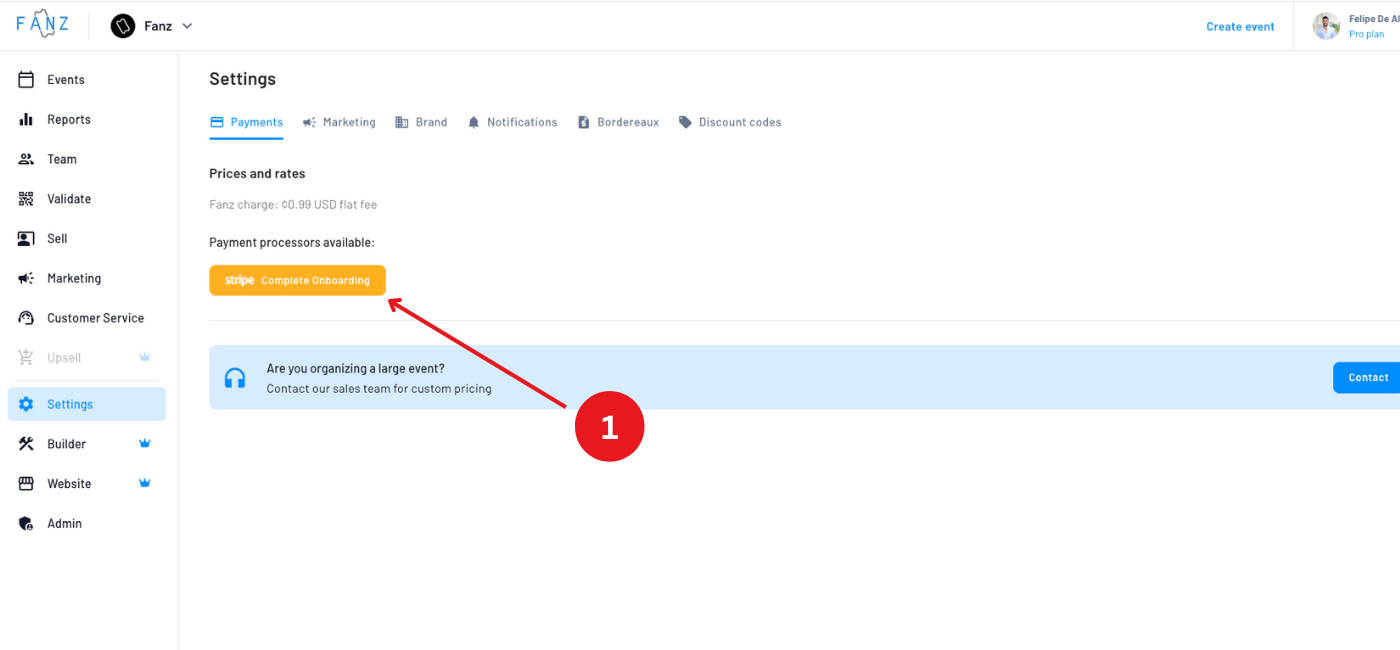
Log in to the Fanz dashboard and go to Settings → Payments.
Step 2: Choose connection type
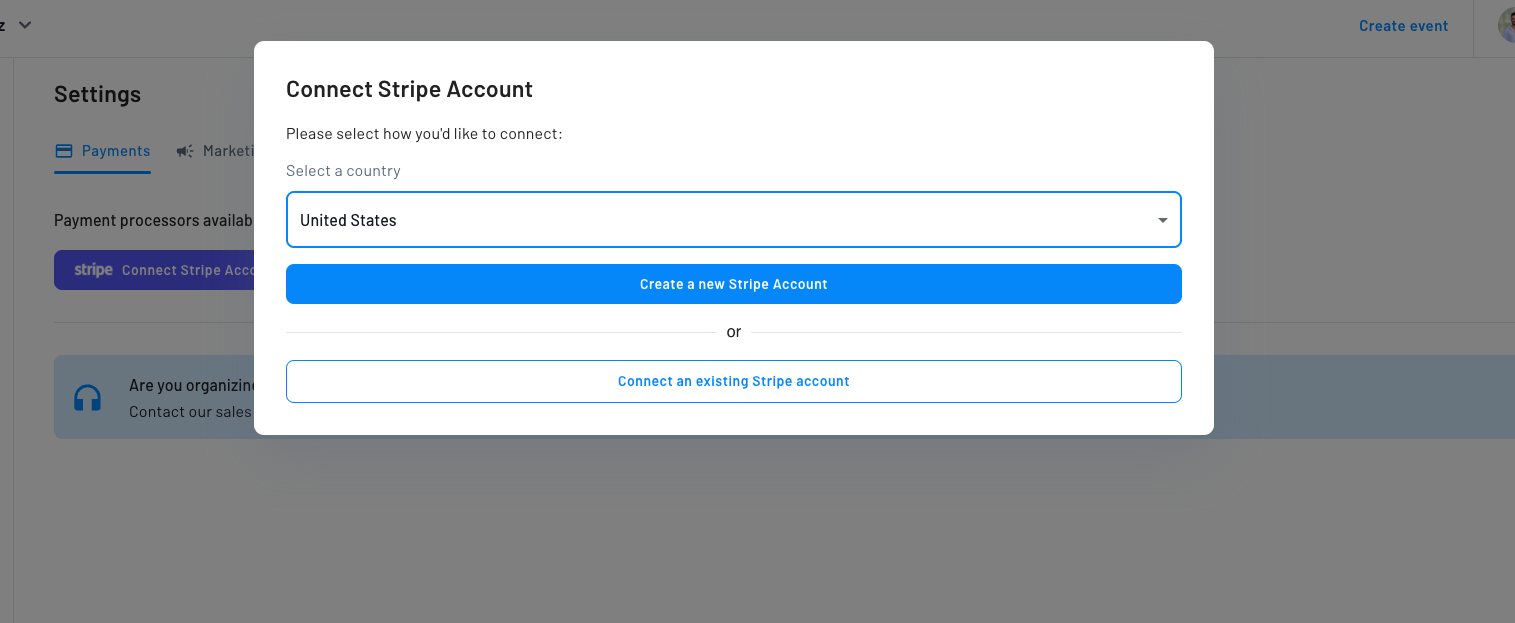
On the Stripe screen you'll see two options:
- Connect existing account – If you already have a Stripe account
- Create new account – If you need to create a Stripe account from scratch
Step 3a: Connect existing account
If you already have a Stripe account:
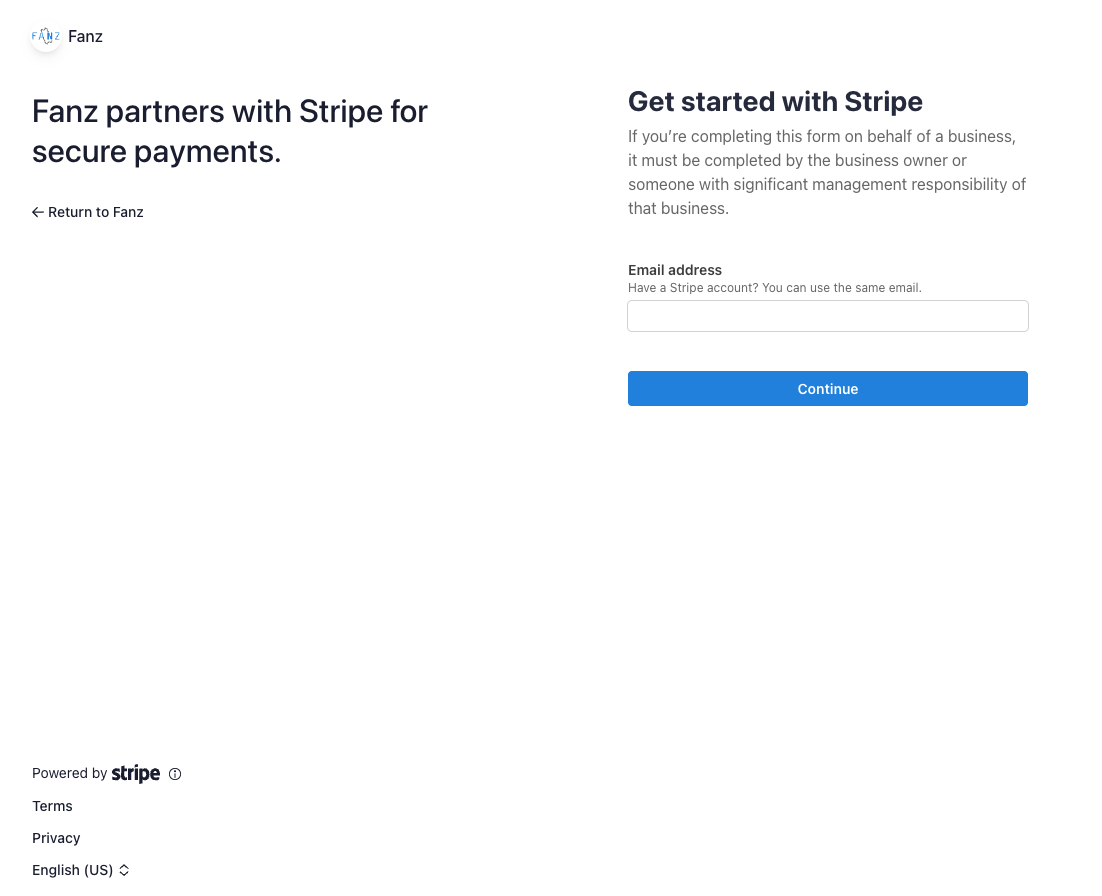
- Click on "Connect existing account"
- You'll be redirected to Stripe to authorize the connection
- Log in with your Stripe account
- Authorize Fanz to process payments on your behalf
Step 3b: Create new account
If you don't have a Stripe account:
- Click on "Create new account"
- You'll be redirected to Stripe to complete registration
- Fill in your business information
- Verify your identity and bank details
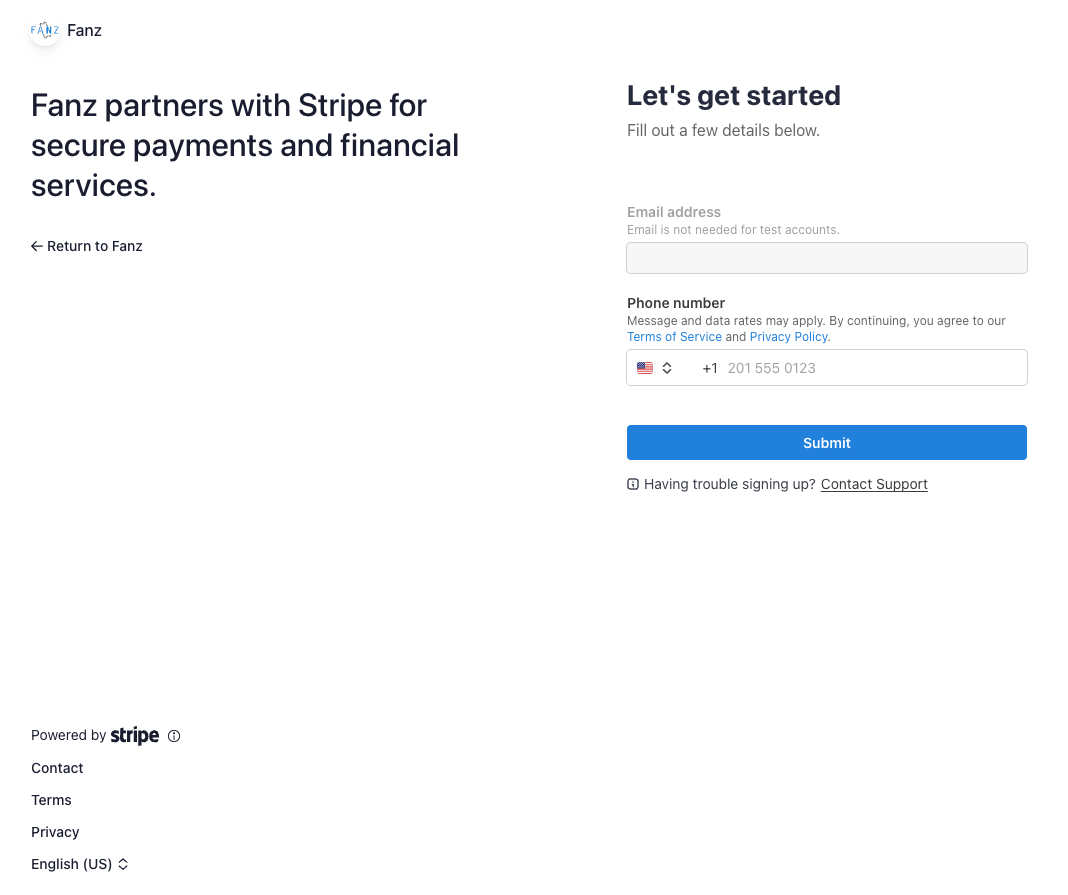
Tip: If you don't have time to complete the entire Stripe onboarding process now, you can complete it later. Your account will remain connected but in pending status until you finish the verification.
Step 4: Confirm the connection
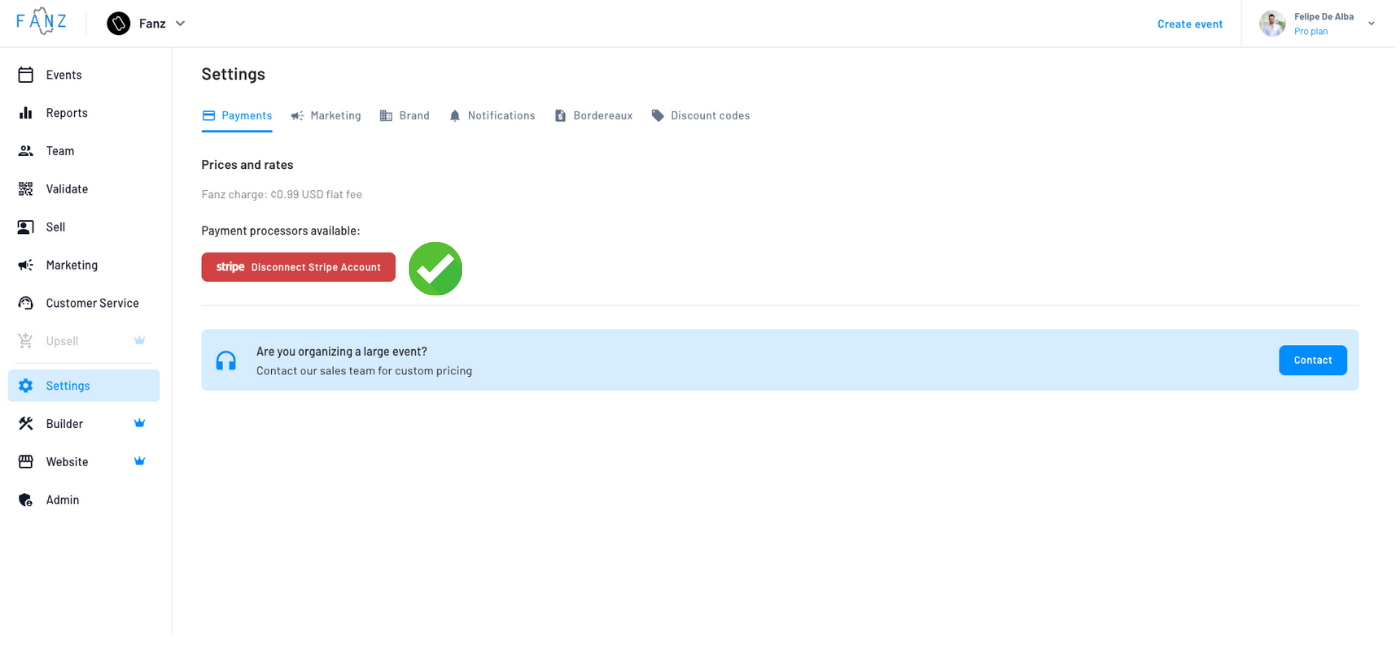
Once you complete the process, you'll see that your Stripe account is connected.
You'll know the connection was successful when you see a red "Disconnect account" button. This means your Stripe account is properly linked to Fanz.
If the Stripe onboarding is pending, you'll also see a status indicator so you know what's left to complete.
Continue your setup: If you had an unfinished draft event when you completed the Stripe connection, a dialog will appear prompting you to return to that event and complete it. This is designed to help new organizers move straight from payment setup to publishing their first event without losing their place.
How much does Stripe charge?
Stripe charges a commission on each transaction. Rates vary by country and card type:
| Payment type | Commission |
|---|---|
| Domestic cards | 2.9% + $0.30 USD |
| International cards | 3.9% + $0.30 USD |
| Currency conversion | +1% additional |
Rates may vary based on your country and sales volume. Check stripe.com/pricing for updated rates.
Important: These fees are charged by Stripe, not Fanz. They are in addition to the Fanz commission.
How much does Fanz charge?
Fanz charges a commission that is automatically deducted from each sale through a payment split. The exact percentage depends on your sales volume.
At the end of the month, Fanz sends you an automatic invoice with the details of all commissions.
Next steps
Now that you have Stripe connected, you can:
- Create your first event → View tutorial
- Set up your white label → View tutorial
Frequently asked questions
Yes, you can disconnect and connect another account at any time from Settings → Payments.
No, the money goes directly from your buyer to your Stripe account. Fanz only receives its commission through an automatic split.
Yes, Fanz also supports Mercado Pago for sales in Argentina. Check the Mercado Pago tutorial for more information.
If Stripe suspends or limits your account, sales cannot be processed. You must resolve the issue with Stripe directly.
Yes, if you have multiple brands on Fanz, each brand can have its own Stripe account connected.
Stripe typically deposits funds to your bank account within 2-7 business days, depending on your country and settings.
Yes, Stripe supports over 135 currencies. You can configure which currency you want to receive payments in from your Stripe dashboard.
Your account will remain connected but in pending status. You won't be able to receive payments until you complete identity and bank verification in Stripe.