

Create your first event
Creating an event in Fanz takes about 5-10 minutes. The system guides you through each step so you don't miss anything important.
Want all the details? This guide covers the basics. For advanced options, see Create event.
What you'll need
Before starting, have ready:
- Event info – Title, description, date and time
- Location – Where the event takes place
- Banner image – 1000x500px recommended (max 1MB)
- Ticket details – Name, price, and quantity
Step 1: Start creating
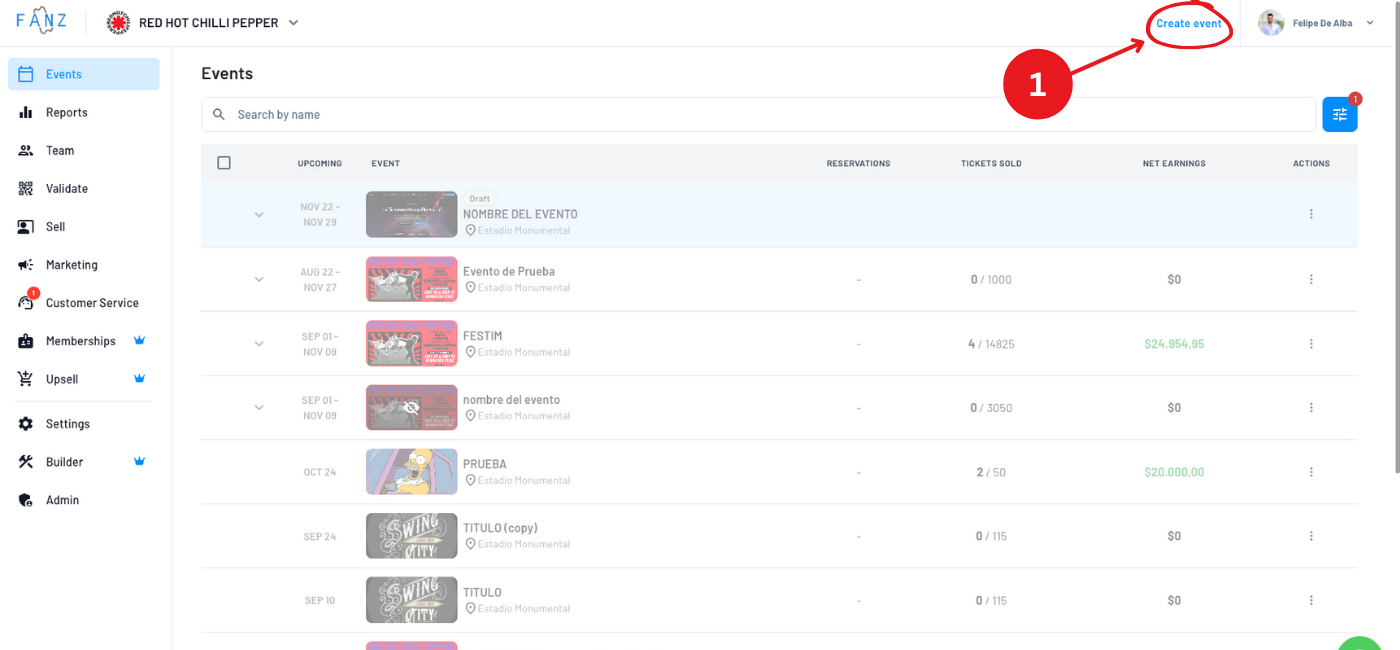
Click the "+ Create event" button in the top right corner of your dashboard.
Step 2: Add event information
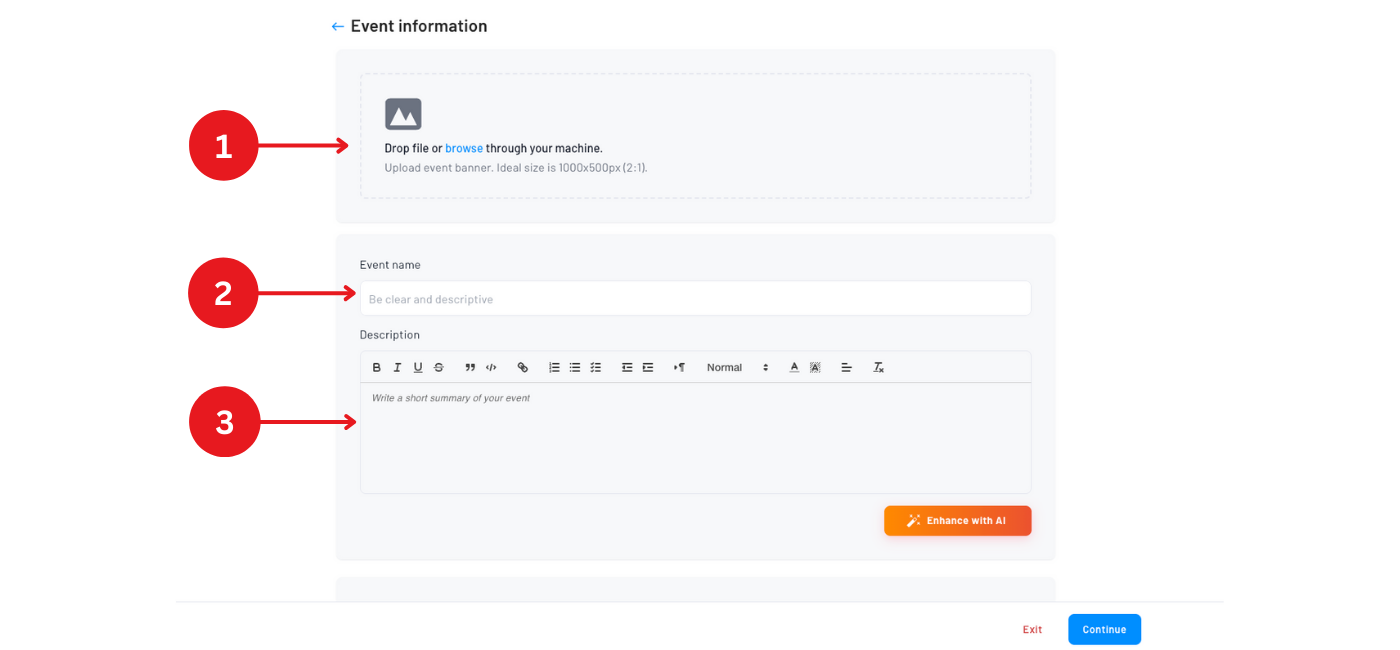
Fill in the basics:
- Upload your banner – Drag and drop or browse
- Event title – The name everyone will see
- Description – What the event is about (tip: use "Enhance with AI" to polish your text)
- Category – Optional, helps organize your events
- Location – Create a new one or pick from saved locations
Step 3: Set dates and times
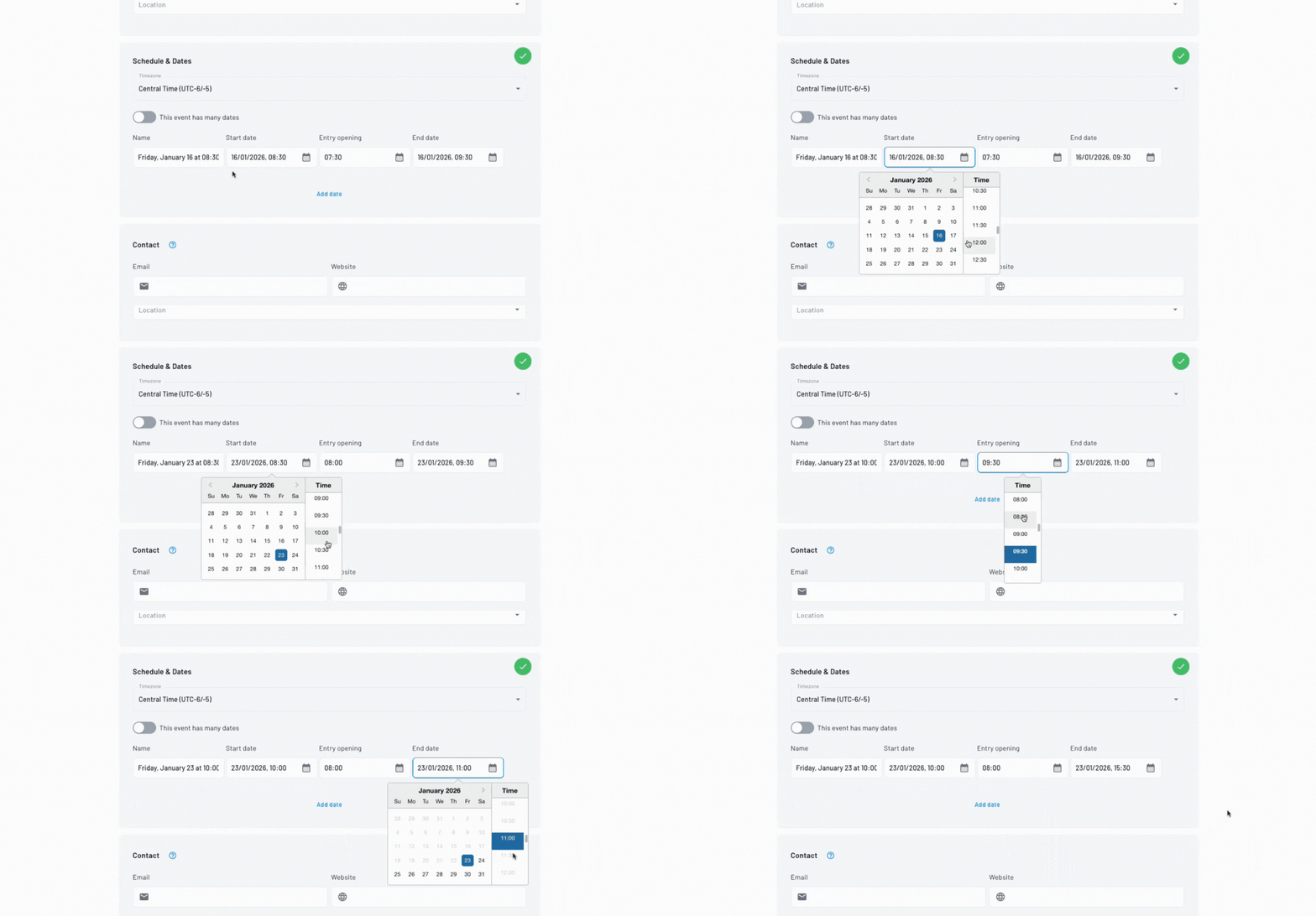
Choose your event schedule:
- Single date – For one-time events
- Multiple dates – Add each date manually
- Date generator – For recurring events (theater runs, weekly shows, etc.)
Step 4: Create your tickets
This is the most important part. For each ticket type:
- Name – Example: "General Admission", "VIP"
- Quantity – How many are available
- Price – The ticket cost
- Service fee – Your additional margin (optional)
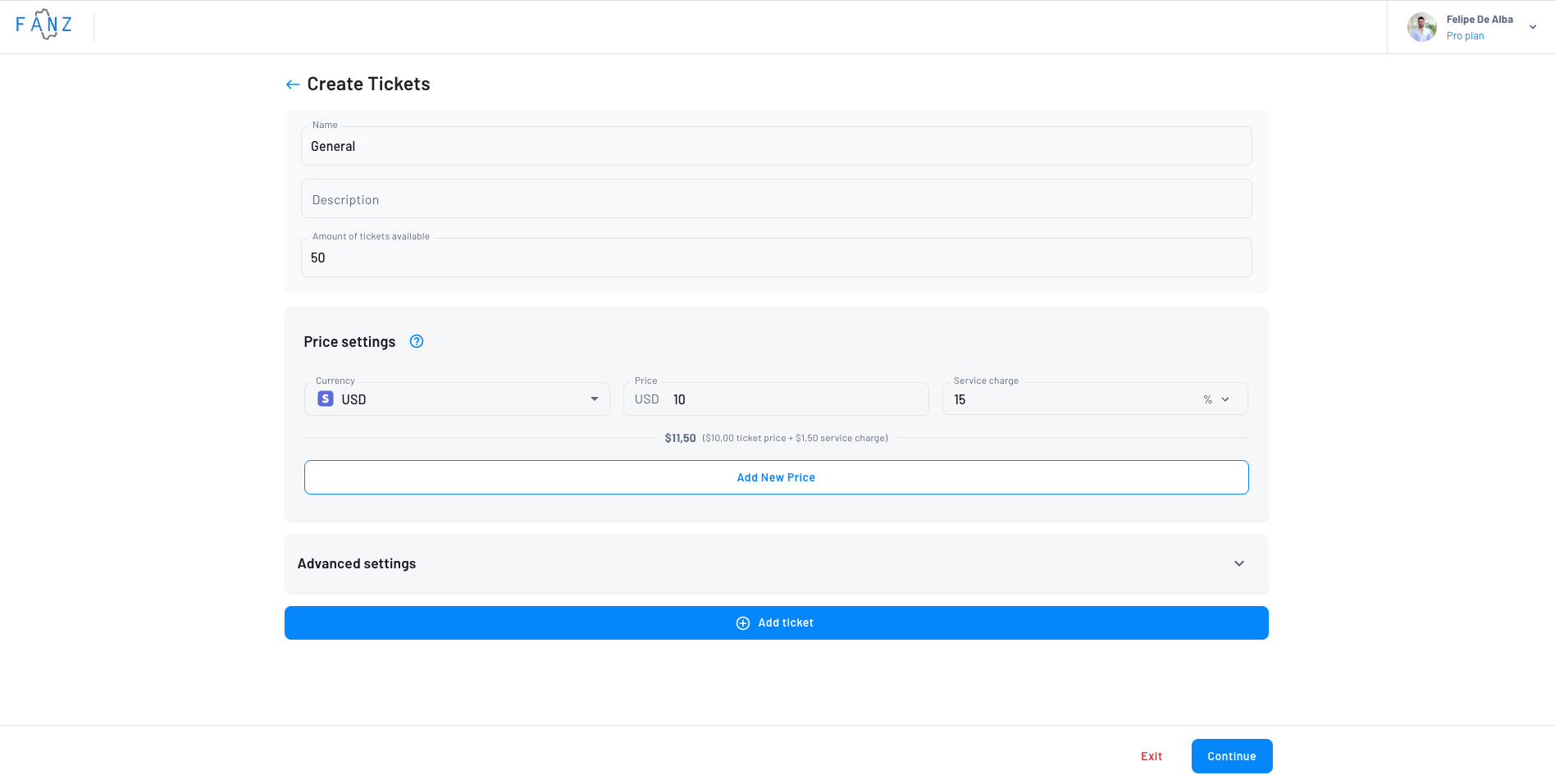
Tip: The final price buyers see = Ticket price + Service fee. You decide how to split it.
Removing a ticket? If you delete a ticket during event creation, a confirmation dialog will appear asking "Do you want to remove this ticket from the event creation?" This prevents accidental deletions.
Step 5: Preview and publish
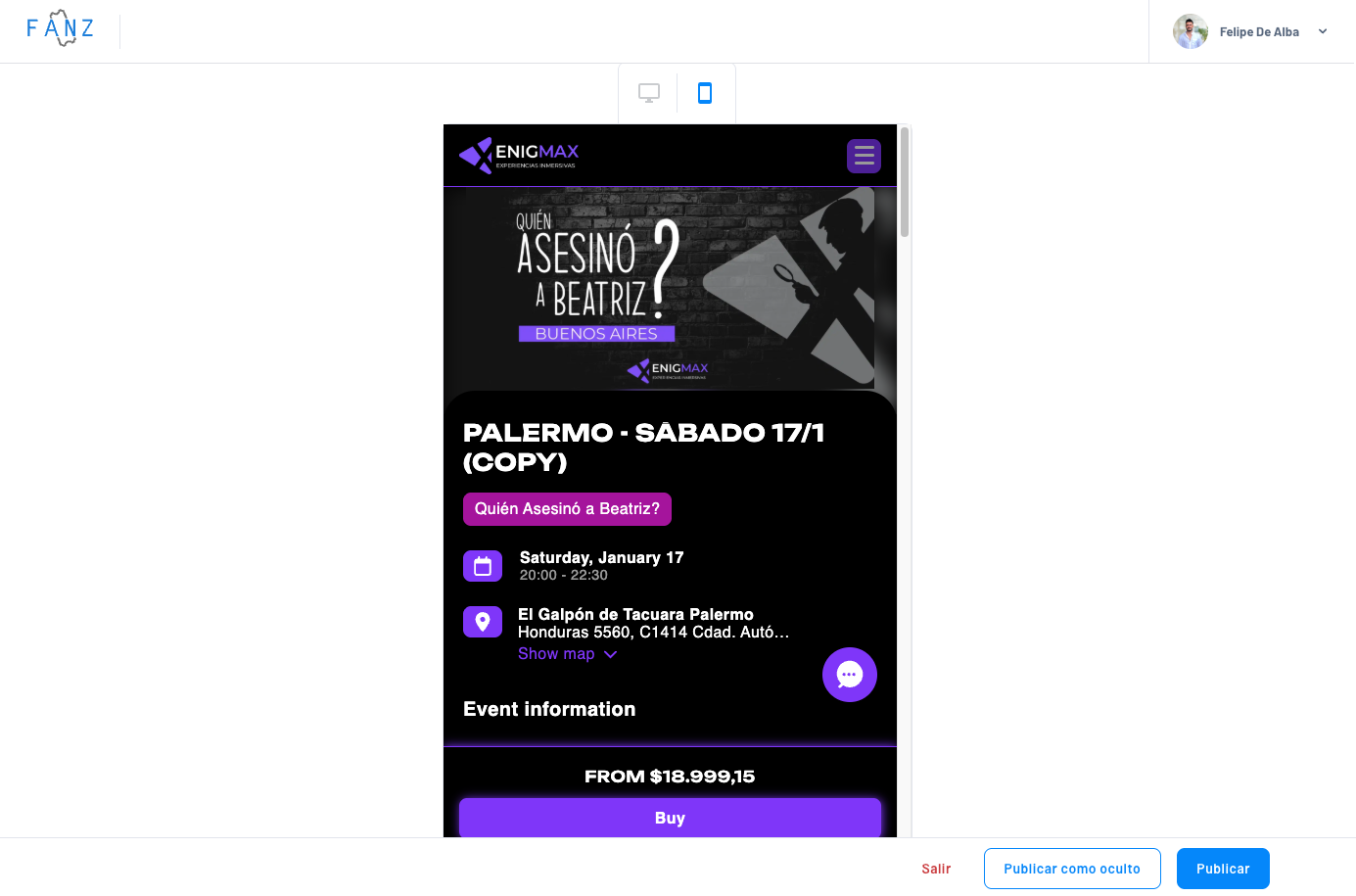
Review how your event looks on desktop and mobile, then choose:
- Publish – Goes live immediately
- Publish as hidden – Only accessible via direct link
Saving your progress
You don't have to finish the event in one go. At any point during event creation, you can click "Save and exit" to save your progress and come back later — your work won't be lost.
If you try to leave without saving, a dialog will appear asking "You have unsaved changes. What would you like to do?" You can then choose to "Save and exit" or "Exit without saving".
Your saved draft will appear in the Drafts section of your Events list.
You're done! 🎉
Your event now has:
- A public URL to share
- A sales page where people buy tickets
- A management panel to track sales
What's next?
- Create your website — Set up your white-label site
- Sell at box office — Make in-person sales
- Manage your team — Add collaborators
Common questions
Yes, you can edit everything at any time from the event detail page.
Yes. Click "Save and exit" at any point during event creation. Your event will be saved as a draft and you can resume from where you left off. Find it under the Drafts filter in your Events list.
Yes, just set the price to $0.
The event shows "Sold Out" automatically. You can increase capacity by editing the ticket.
Yes, from the events list click the three dots → Duplicate. Everything copies over and you just edit what's different. The duplicate will be created as a draft.
It's an optional amount you add on top of the ticket price. It's not Fanz's commission—that's calculated separately on the total.
Need more options?
For advanced settings like multiple rates, sales schedules, custom questions, referral programs, and more, see the complete Create event guide.